
Download Adobe Media Player – Free, Secure Online Video Player for Mac
Overview
Adobe Media Player (AMP) is Adobe’s answer to the growing demand for a browser‑style, on‑line television experience. Launched after the success of services such as Joost, Babelgum and VeohTV, AMP treats the web as a television set: you browse, you select, and you watch. The app’s philosophy is simple—if you already use a web browser to navigate pages, why not use a dedicated player to view multimedia? The result is a sleek, dashboard‑driven interface that feels natural on a Mac and offers a unified way to discover, organize, and stream video content from a wide variety of sources.
Since its beta phase, Adobe Media Player has matured into a stable, feature‑rich platform that aggregates more than 25,000 episodes, movies, and shows across multiple genres. Partnerships with major studios—including Sony Pictures—mean that users can stream titles like *Jerry Maguire* and *Men in Black* directly within the app. The player supports Flash‑based video, RSS‑driven subscriptions, and a personalized “favorites” system that lets you rate content, build playlists, and keep track of new episodes automatically.
One of the strongest selling points of AMP is its speed and video quality. Adobe leverages its expertise in codecs and streaming technology to deliver smooth playback even on modest broadband connections. While the service is currently US‑centric—some titles are geo‑restricted—it still offers a compelling alternative to traditional cable and satellite TV for anyone looking to shift their viewing habits online.
Key Features
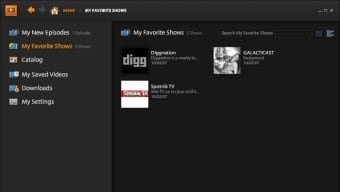
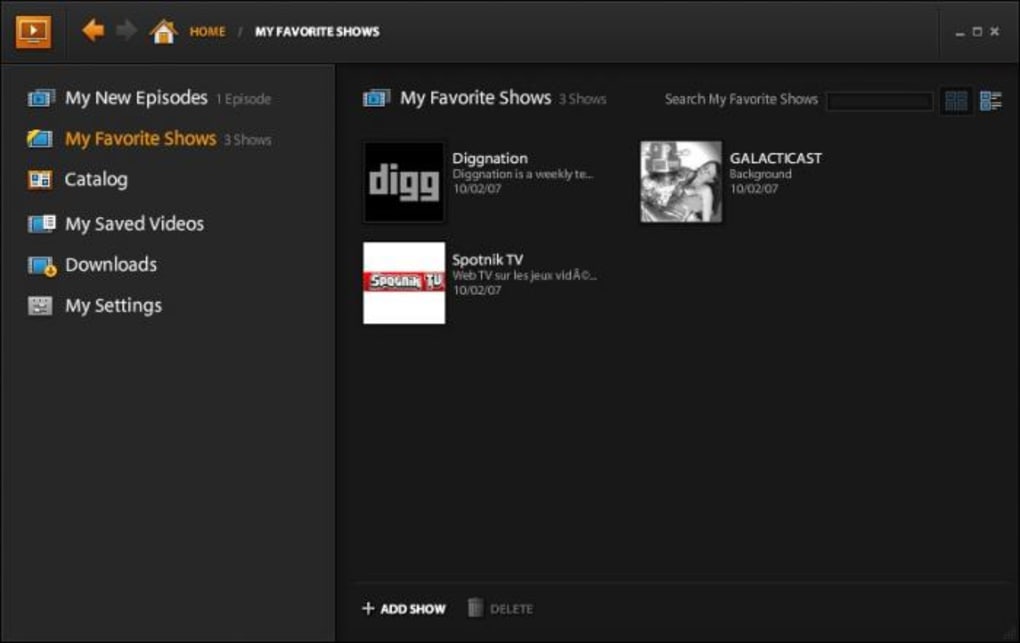
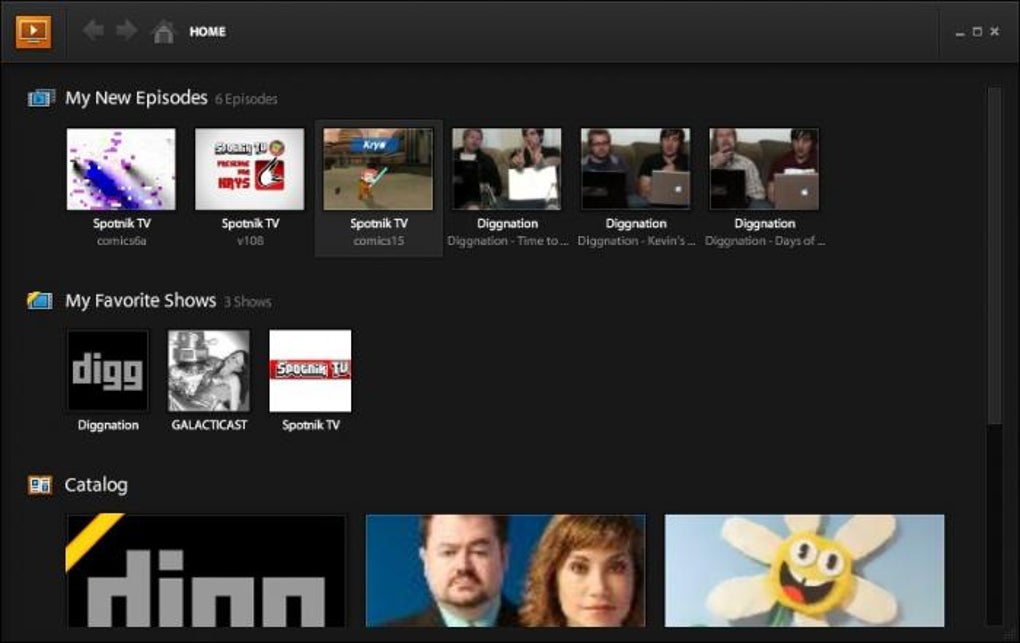
- Dashboard Interface: A clean, tile‑based layout that surfaces your favorite channels, recent episodes, and trending shows at a glance.
- Favorites & Ratings: Add videos to a personal favorites list, assign star ratings, and let AMP suggest similar content.
- Playlist Builder: Drag and drop videos into custom playlists for binge‑watching without leaving the player.
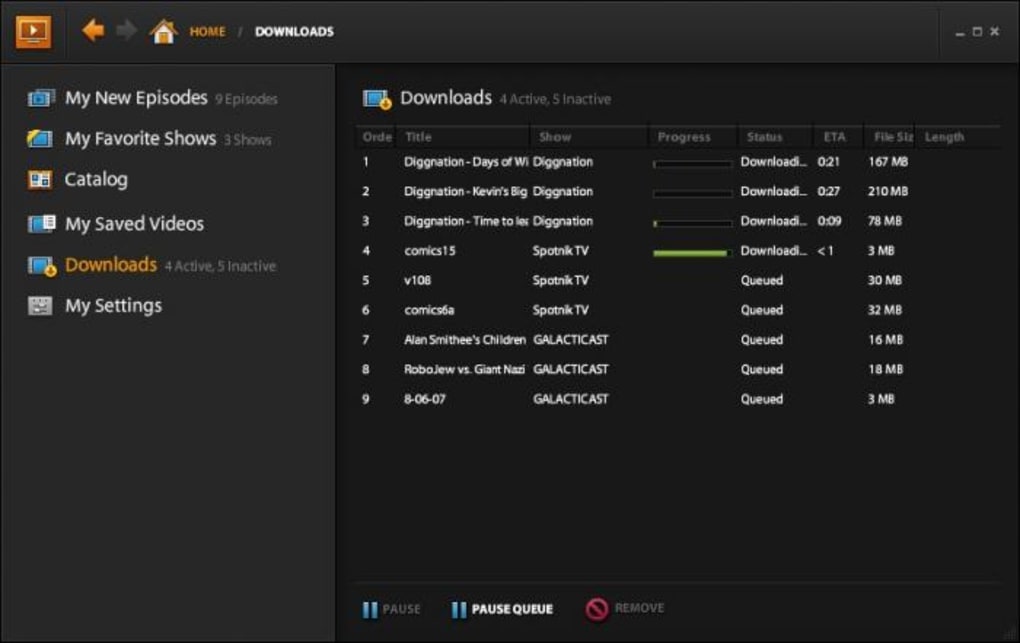
- RSS Subscription: Subscribe to show feeds and receive automatic notifications when new episodes are published.
- Extensive Library: Access over 25,000 episodes and movies, including exclusive titles from partners like Sony Pictures.
- High‑Definition Playback: Supports Flash and H.264 streams up to 1080p, with adaptive bitrate for smoother viewing on slower connections.
- Secure Streaming: Encrypted delivery and Adobe’s DRM technology protect content from piracy while ensuring a safe user experience.
- Cross‑Platform Sync (Future Roadmap): Planned support for syncing favorites and playlists across macOS, Windows, iOS, and Android devices.
These features combine to create a robust, all‑in‑one solution for anyone who wants to replace conventional TV with a modern, internet‑driven viewing habit. The player’s emphasis on personalization—through favorites, ratings, and playlists—means you spend less time searching and more time watching the shows you love.
Installation, Usage & Compatibility
Getting Adobe Media Player up and running on your Mac is straightforward. Follow these steps for a hassle‑free installation:
- Visit Adobe’s official download page and click the “Download for macOS” button.
- Once the .dmg file finishes downloading, open it and drag the Adobe Media Player icon into your Applications folder.
- Launch the app from the Applications folder or via Spotlight. The first launch will prompt you to sign in with an Adobe ID (or create one for free).
- After signing in, the dashboard appears, showing featured channels, popular shows, and a quick‑access search bar.
Using the player is intuitive: type a show name into the search bar, browse categories via the left‑hand navigation pane, or explore curated playlists on the home screen. To add a video to your favorites, hover over the thumbnail and click the heart icon. Rate a video by selecting the number of stars that best reflects your enjoyment. For ongoing series, click the RSS icon to receive automatic updates when new episodes go live.
Compatibility: Adobe Media Player is built for macOS 10.12 (Sierra) and later. While the current release is macOS‑only, Adobe has indicated that Windows, iOS, and Android versions are in development and will arrive in future updates. System requirements are modest—2 GB RAM, 200 MB free disk space, and an internet connection capable of at least 2 Mbps for standard definition streaming.
Updates are delivered automatically through Adobe’s update service, ensuring you always have the latest security patches and feature enhancements without manual intervention. If you encounter any issues, the built‑in help center links to a comprehensive knowledge base and community forums where you can find troubleshooting tips and connect with other users.
Pros, Cons, FAQ & Conclusion
Pros
- Intuitive, visually appealing dashboard that simplifies content discovery.
- Robust library with thousands of episodes and movies, including exclusive studio partnerships.
- Personalization tools—favorites, ratings, playlists, and RSS subscriptions—enhance user engagement.
- High‑quality streaming with adaptive bitrate ensures smooth playback on varied connections.
- Secure, DRM‑protected delivery protects both content owners and viewers.
- Free to download and use, with optional premium upgrades for ad‑free experience.
Cons
- Geographic restrictions limit access to many titles outside the United States.
- Currently macOS‑only; Windows and mobile platforms are not yet supported.
- Reliance on Flash for some older content can cause compatibility issues on newer browsers.
- Occasional ads before video playback may interrupt the viewing experience.
- Library, while large, still lacks some niche or international channels that competing services offer.
Frequently Asked Questions
Is Adobe Media Player completely free?
Yes, the core Adobe Media Player application is free to download and use. Adobe offers optional premium subscriptions that remove ads and provide early access to new features, but they are not required for basic functionality.
Can I watch Adobe Media Player on a Windows PC?
As of the latest release, Adobe Media Player is only available for macOS. Adobe has announced plans for a Windows version in upcoming updates, but no specific release date has been confirmed.
How does Adobe Media Player handle geo‑restricted content?
Geo‑restriction is enforced at the server level. If a video is unavailable in your region, the player will display a notice after the initial ad. Using a VPN may bypass these restrictions, but it could violate Adobe’s terms of service.
What video formats does Adobe Media Player support?
AMP primarily supports Flash (SWF) and H.264/MP4 streams. The player automatically selects the optimal bitrate based on your connection speed, and it can play up to 1080p HD content.
Is my data secure while streaming?
Adobe employs industry‑standard encryption and DRM to protect streamed content. Your personal information, such as login credentials, is stored securely on Adobe’s servers and transmitted over HTTPS.
Conclusion & Call to Action
Adobe Media Player offers a compelling blend of sleek design, powerful personalization tools, and a growing library of on‑demand video content. While geographic restrictions and platform availability are current drawbacks, the free, secure, and regularly updated nature of the app makes it an excellent entry point for anyone looking to transition from traditional TV to online streaming on a Mac. If you’re ready to explore a modern, browser‑style TV experience, download Adobe Media Player today and start building your own personalized watchlist.
Adobe Media Player scores a solid 4 out of 5 stars for its intuitive interface, extensive content library, and high‑quality streaming. The main deductions come from regional content limitations and the lack of a Windows version. Overall, it’s a forward‑thinking solution for Mac users eager to embrace online TV.







